
No Asteroids Demo Guide: What the First 15 Days Cover
What the free No Asteroids demo includes, how far 15 in-game days gets you, and how to spend the demo so the save carries into launch.
The No Asteroids demo is the opening 15 days of the 90-day contract, free on Steam, and it saves progress that carries into the full game on the same machine. That makes it a try-before-you-buy and a head start at the same time. This page covers what is actually in those 15 days, what is not, and how to spend them so the launch save is worth keeping. The demo vs full game comparison→ handles the buying decision.
What the demo contains
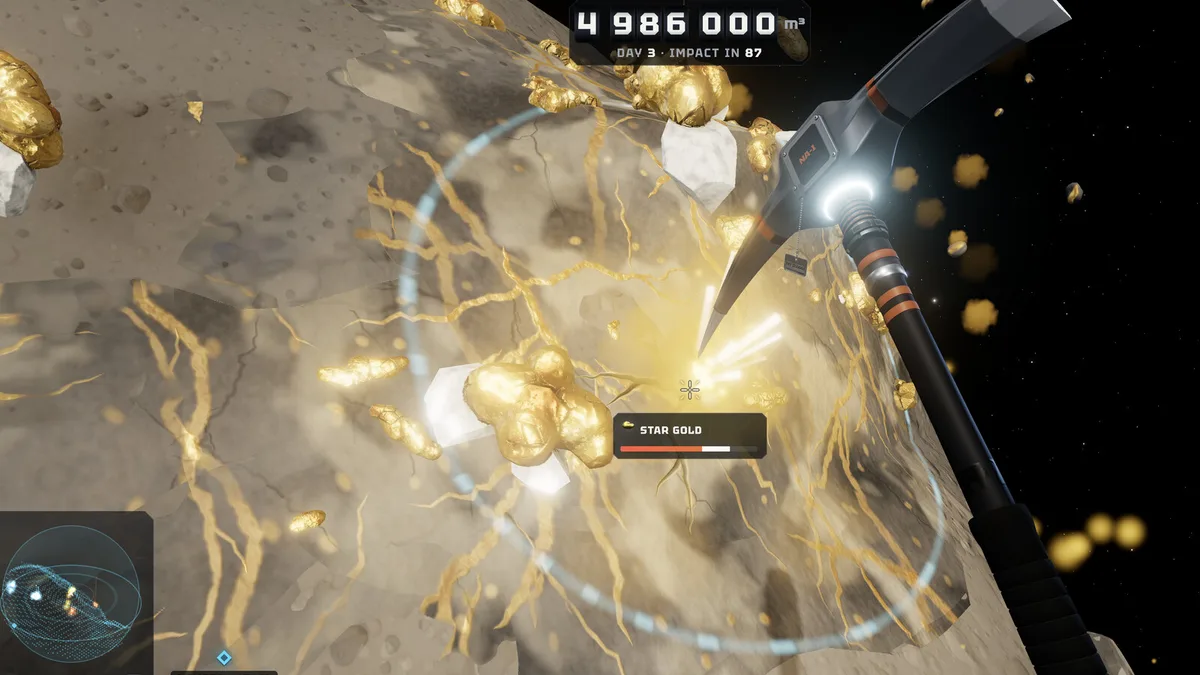
The demo starts at day one with the pickaxe, the empty asteroid counter and the same ship you get in the full game. You can mine, sell, upgrade tools and suit systems, walk around the ship, use the telescope and fill the museum. The 15-day limit is a hard stop on the campaign, not a timer on your session: you can replay the opening as many times as you like, but the story does not advance past the demo window.
The build also supports controllers. The demo patch notes describe right-trigger mining and right-stick selling at the terminal, plus stick sensitivity, vertical inversion and vibration options. That is the same input layer the full game ships with, so anything you learn about the gamepad carries over.
The 15-day route worth following
Days 1–3: learn the loop. One shallow site, one full hold, one sale. Buy the first air tank. Do not chase star gold until you can afford to fail.
Days 4–7: build the economy. Alternate iron and gold, complete the Order of the Day when it is convenient, and add cargo capacity. The goal is a hold that can carry a mixed load without a second trip.
Days 8–12: movement. Tether, boots and jetpack reduce the time between the lander and the vein, which is the same as adding air. If you keep dying on the way back, this is the fix.
Days 13–15: bank for the laser. The laser drill costs 42,000 credits in creator footage of the demo. If you can reach it before the demo ends, the full game starts with a tool that clears the early asteroid far faster than the pickaxe.
What the demo does not show
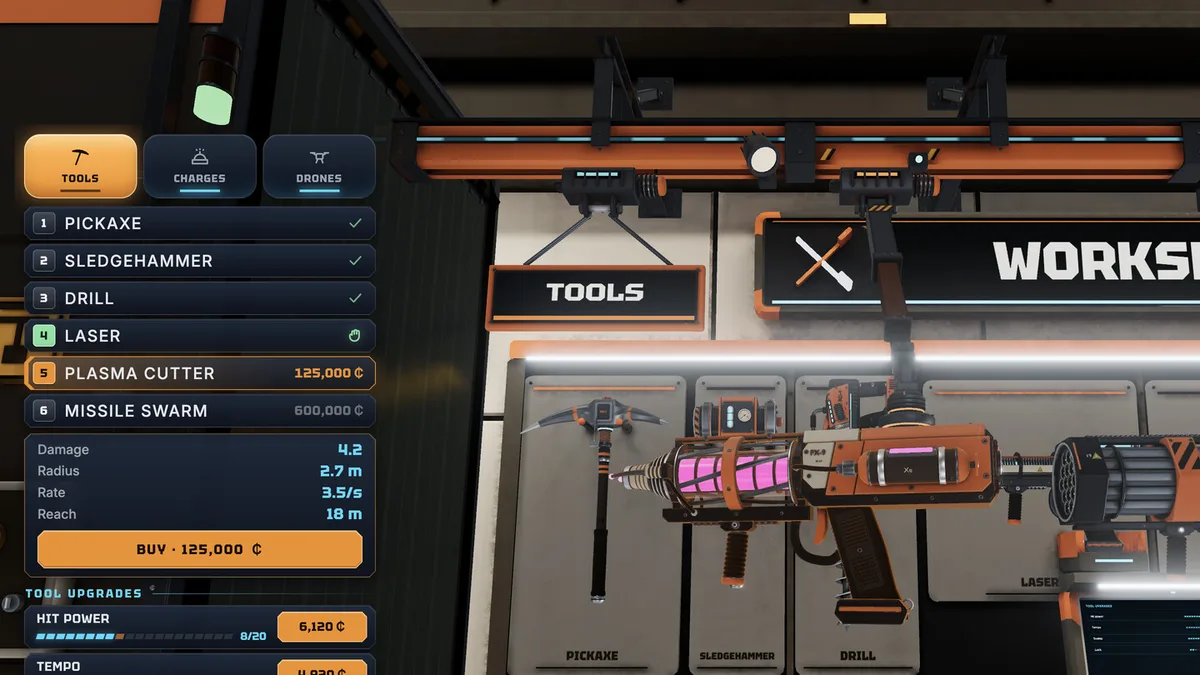
The demo is the opening, so the expensive half of the game is absent: the plasma cutter at 125,000, the missile swarm at 600,000, the nine ship guns up to the 1,200,000 Collapsar, the later contracts, and the story beats after the main campaign. If you want to know whether the late game is worth $7.99, the honest answer is that the demo cannot tell you. The tools page→ and ship guns page→ list what the full build adds.
Co-op is advertised for the full game with up to eight players and cross-platform support. We did not verify a co-op session inside the demo, so treat the demo as a solo preview and plan your group run for launch.
Does demo progress really carry over?
Yes, on the same machine and the same store account. The developers stated it in the demo announcement, and the save is local. That means a demo save on a laptop will not follow you to a desktop, and a save from a different Steam account will not merge. If you care about the head start, play the demo on the machine you will use at launch.
There is a second, less obvious carry-over: knowledge. The demo teaches the air timer, the launch countdown and the price differences between ice and crystal. Those are the three things that kill early runs, and none of them require late-game tools to learn.
Should you grind the demo?
Only to the laser. Beyond that, the demo's 15 days are a tutorial with a scoreboard. Credits do not multiply, and there is no benefit to hoarding beyond the first big tool. Spend on air, cargo and movement, reach the laser if it is close, and stop. The full game's first hour will re-teach the loop anyway, and the upgrade path→ assumes you start from a normal opening, not a maxed demo save.
If you are unsure about the purchase, the demo is the right test: it is free, it is the actual opening, and it does not expire. The release date page→ has the price and platform details for the full version.
Demo settings worth changing before you dig
Turn the music down and the tool audio up; the sound of a vein cracking is the only warning you get before it breaks. Set the mouse sensitivity before the first descent, not during it. If you use a controller, set the stick sensitivity to a value that lets you aim at a vein without overshooting, and enable vibration if you want the hit feedback. The controller page→ has the full settings list.
It is the opening of the campaign, and the save carries into the full game on the same machine. Play it as a head start.
Frequently Asked Questions
Is the No Asteroids demo free? Yes. It is a free demo on Steam and runs on Windows and macOS.
How many days does the demo include? The first 15 in-game days of the 90-day contract. Each descent is one day.
Does demo progress carry to the full game? Yes, on the same machine and account. The save is local, so it does not transfer between devices.
Can I play the demo in co-op? The full game supports up to eight players online. We did not verify co-op inside the demo build, so plan group sessions for launch.
Sources
Official source: No Asteroids demo on Steam ↗ Official source: No Asteroids on Steam ↗ Tested source: Steam launch-build screenshots captured 2026-11-19 (day-15 and terminal states) Community source: No Asteroids Steam news hub ↗